Auckland City Libraries
Unofficial information about libraries and activities
What is Auckland City Libraries?
Aucklandcitylibraries.com is a purely informational website about libraries and other activities in and around Auckland. It has no affiliation with Aucklandlibraries.govt.nz. Please visit https://www.aucklandlibraries.govt.nz/ for the official webpage of Auckland Council – Auckland Libraries.
Auckland City Libraries are a network of public libraries that serve the residents of Auckland, New Zealand. They offer a variety of services and resources, such as:
- Books, eBooks, eAudiobooks, magazines, newspapers, DVDs, CDs and more for borrowing or browsing.
- Free WiFi, computers, printing, scanning and copying facilities for library members.
- Events and programmes for all ages and interests, such as storytimes, book clubs, workshops, talks and exhibitions.
- Research and heritage collections that document the history and culture of Auckland and beyond, including the Sir George Grey Special Collections at the Central City Library.
- Online databases and learning platforms that provide access to information, education and entertainment.
- Mobile libraries that visit rural and urban communities across Auckland.
- Justice of the Peace services at selected libraries.
56 Locations
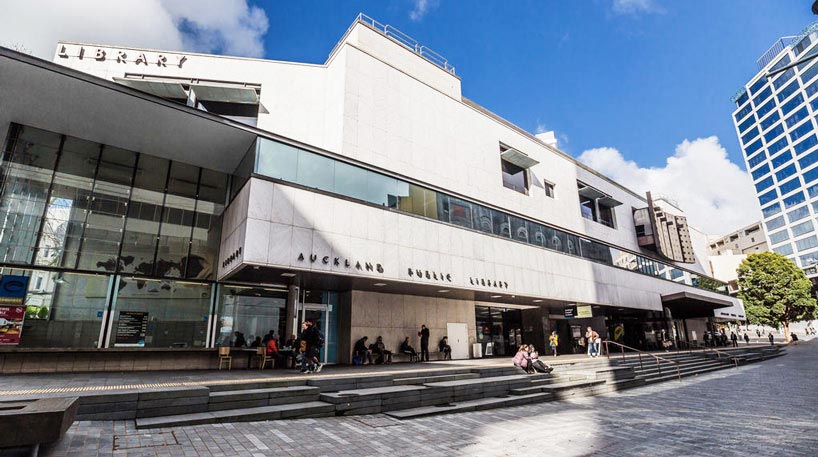
Auckland Libraries have 56 locations across the region, from Waiheke Island to Wellsford. The Central City Library is the largest and oldest library in the network, located in the heart of Auckland’s CBD. It was opened in 1971 and has four levels of books and resources, as well as a café and a gift shop.
Here is a table with the names and opening hours of all 56 locations:
| Library name | Opening hours |
| Albany Village Library | Mon-Fri: 9.30am – 4.30pm, Sat: 10am – 4pm, Sun: Closed |
| Avondale Library | Mon-Fri: 12pm – 4pm, Sat: 10am – 4pm, Sun: Closed |
| Birkenhead Library | Mon-Fri: 10am – 4.30pm, Sat: 10am – 4pm, Sun: Closed |
| Blockhouse Bay Library | Mon-Fri: 12pm – 4pm, Sat: 10am – 4pm, Sun: Closed |
| Botany Library | Mon-Fri: 10am – 5.30pm, Sat: 10am – 4pm, Sun: Closed |
| Central City Library | Mon-Fri: 10am – 5pm, Sat-Sun: Closed |
| Devonport Library | Mon-Fri: 9.30am – 5pm, Sat-Sun: Closed |
| East Coast Bays Library | Mon-Fri: 9.30am – 4.30pm, Sat-Sun: Closed |
| Epsom Library | Mon-Fri: 12pm – 4pm, Sat-Sun: Closed |
| Glen Eden Library | Mon-Fri: 10am – 4pm, Sat-Sun: Closed |
| Glen Innes Library | Mon-Fri: 10am – 4pm, Sat-Sun: Closed |
| Glenfield Library | Mon-Fri: 10am – 4.30pm, Sat-Sun: Closed |
| Great Barrier Library | Mon-Fri: 9.30am – 3.30pm, Sat-Sun: Closed |
| Grey Lynn Library | Mon-Fri: 12pm – 4pm, Sat-Sun: Closed |
| Helensville Library | Mon-Fri: 9.30am – 5pm, Sat-Sun: Closed |
| Highland Park Library | Mon-Fri: 10am – 4pm, Sat-Sun: Closed |
| Howick Library | Mon-Fri: 10am – 4pm, Sat-Sun: Closed |
| Kumeū Library | Mon-Fri: 9.30am – 5pm, Sat-Sun: Closed |
| Leys Institute Library (Ponsonby) – Closed | Temporarily closed for repairs |
| Leys Institute Little Library | Mon-Fri: 9.30am – 5.30pm, Sat-Sun: Closed |
| Mahurangi East Library | Mon-Fri: 9.30am – 5pm, Sat-Sun: Closed |
| Māngere Bridge Library | Mon-Fri: 10am – 4pm, Sat-Sun: Closed |
| Māngere East Library | Mon-Fri: 12pm – 4pm, Sat-Sun: Closed |
| Māngere Town Centre Library | Mon-Fri: 10am – 4pm, Sat-Sun: Closed |
| Manukau Library | Mon-Fri: 10am – 4pm, Sat-Sun: Closed |
| Manurewa Library | Mon-Fri: 10am – 4pm, Sat-Sun: Closed |
| Mt Albert Library | Mon-Fri: 12pm – 4pm, Sat-Sun: Closed |
| Mt Roskill Library | Mon-Fri: 10am – 4pm, Sat-Sun: Closed |
| New Lynn War Memorial Library | Mon-Fri: 10am – 4pm, Sat-Sun: Closed |
| North Mobile Library | See website for schedule |
| Northcote Library | Mon-Fri: 10am – 4.30pm, Sat-Sun: Closed |
| Onehunga Library | Mon-Fri:12 pm-4 pm,Sat-Sun :Closed |
| Ōrewa Library | Mon-Fri :9.30 am-3.30 pm,Sat :Closed,Sun :Closed |
| Ōtāhuhu Library | Mon-Fri :10 am-4 pm,Sat :Closed,Sun :Closed |
| Ōtara Library | Mon-Fri :10 am-4 pm,Sat :Closed,Sun :Closed |
| Pakuranga Library | Mon-Fri :10 am-4 pm,Sat :Closed,Sun :Closed |
| Panmure Library | Mon-Fri :12 pm-4 pm,Sat :Closed,Sun :Closed |
| Papatoetoe War Memorial Library | Mon-Fri :10 am-4 pm,Sat :Closed,Sun :Closed |
| Parnell Library | Mon-Fri :12 pm-4 pm,Sat :Closed,Sun :Closed |
| Pt Chevalier Library | Mon-Fri :12 pm-4 pm,Sat :Closed,Sun :Closed |
| Pukekohe Library | Mon-Fri :9 am-5 pm,Sat :9 am-1 pm,Sun :Closed |
| Rānui Library | Mon-Thurs: 9am – 6pm, Fri: 9am – 8pm, Sat: 9am – 5pm, Sun: 11am – 3pm |
| Remuera Library | Mon-Thurs: 12pm – 6pm, Fri: 12pm – 8pm, Sat-Sun: 11am – 3pm |
| Research Central | Mon-Fri: 10am – 5pm, Sat-Sun: Closed |
| Research North | Mon-Fri: 9am – 5pm, Sat-Sun: Closed |
| Research South | Mon-Fri: 9am – 5pm, Sat-Sun: Closed |
| Research West | Mon-Fri: 9am – 5pm, Sat-Sun: Closed |
| Rural libraries (Beachlands, Clarks Beach Waiau Pā, Clevedon, Drury, Kawakawa Bay, Leigh, Maraetai, Ōrere Point, Piha, Point Wells, Waiatarua) | See website for schedule |
| Sir Edmund Hillary Library (Papakura) | Mon-Fri: 9am – 6pm, Sat-Sun: Closed |
| South and East Mobile Library | See website for schedule |
| Special Collections Reading Room | Mon-Fri: 10am – 5pm, Sat-Sun: Closed |
| St Heliers Library | Mon-Thurs: 12pm – 6pm, Fri-Sun: Closed |
| Takaanini Community Hub | Mon-Fri: 10am – 6pm, Sat-Sun: Closed |
| Takapuna Library | Mon-Fri: 9.30am – 6.30pm, Sat-Sun: Closed |
| Te Atatū Peninsula Library | Mon-Thurs: 9am – 6pm, Fri-Sun: Closed |
| Te Manawa (Westgate) | Mon-Fri: 9am – 6pm, Sat-Sun: Closed |
| Te Matariki Clendon Library | Mon-Thurs: 9am – 6pm, Fri-Sun: Closed |
| Titirangi Library | Mon-Thurs:12 pm-6 pm,Fri-Sun :Closed |
| Tupu Youth Library | Mon-Fri: 12pm – 4pm, Sat-Sun: Closed |
| Waiheke Library | Mon-Fri: 10.30am – 5.30pm, Sat-Sun: Closed |
| Waitākere Central Library (Henderson) | Mon-Thurs: 9am – 6pm, Fri-Sun: Closed |
Map of Auckland Libraries
How Can I Find Out What Books are Available at Each Library?
- Use the online catalogue at aucklandlibraries.govt.nz.
- Search by title, author, subject, keyword or ISBN.
- Browse by genre, format, language or collection.
- Refine your search by availability, location, publication date or audience.
- See the details of each book, such as the summary, reviews, ratings and series information.
- Place a hold, renew or suggest a purchase for any book in the catalogue.
- Manage your account, view your borrowing history and create lists of books you want to read or have read.
- Use your library card number and PIN to access these features.
How Can I Get a Library Card and PIN?
Here is a step-by-step guide for how you can get a library card and PIN:
- To join Auckland Libraries online, go to the Auckland Libraries website and click on “Join now”.
- Fill in the online form with your personal details and choose a four-digit PIN.
- You will receive a confirmation email with your library card number and PIN.
- To join Auckland Libraries at any library location, visit the library and ask for a membership form.
- Fill in the form with your personal details and choose a four-digit PIN.
- Show proof of your name and address to the library staff.
- You will receive a library card with your library card number and PIN.
- To change your PIN online, go to the Auckland Libraries website and log in with your library card number and PIN.
- Click on “My account” and then “Change PIN”.
- Enter your current PIN and then your new PIN twice.
- Click on “Save changes”.
- To change your PIN at any library location, visit the library and ask for help from the library staff.
- Show your library card and proof of identity to the library staff.
- Tell them your current PIN and then your new PIN.
- They will update your PIN in the system.
- To access the online catalogue, eBooks, eAudiobooks, databases and other online resources, go to the Auckland Libraries website and log in with your library card number and PIN.
- Browse or search for the resources you want and follow the instructions to access them.
- To borrow items from the self-check machines at the libraries, visit the library and find the items you want to borrow.
- Go to the self-check machine and scan your library card.
- Place the items on the machine and follow the instructions to check them out.
- Take your receipt and enjoy your items.
What is the SMART Library Network?
The SMART Library Network is a collaboration of public libraries in New Zealand that allows library members to access the collections and services of other libraries in the network. The SMART Library Network includes:
- Auckland Libraries
- Hamilton City Libraries
- Tauranga City Libraries
- Rotorua District Library
- Napier Libraries
- Hastings District Libraries
- Gisborne District Libraries
- Kapiti Coast District Libraries
- Hutt City Libraries
- Upper Hutt City Library
- Wellington City Libraries
- Porirua City Libraries
With a SMART Library card, you can borrow and return items at any of these libraries, as well as access their online resources and databases. You can also use the SMART Library app to manage your account, search the catalogue, place holds and renew items. The SMART Library Network is a convenient and cost-effective way to access more library resources across New Zealand.
Auckland Libraries – Vision
Auckland Libraries are part of Auckland Council and are funded by rates and fees. They aim to provide a welcoming and inclusive space for everyone to enjoy reading, learning and connecting with others. They also support the vision of Auckland as a creative and vibrant city.
How to Join
If you want to join Auckland City Libraries, you can do so online or at any library location. You will need to provide proof of your name and address. Membership is free for Auckland residents and ratepayers. You can also use your library card to access other library services in New Zealand through the SMART Library Network.
Why Auckland Libraries?
Auckland Libraries are a great way to discover new worlds, expand your horizons and enrich your life. Whether you are looking for something to read, watch, listen or learn, you will find it at Auckland Libraries.
Auckland Uni Library (UOA library)
Auckland Uni Library is the library system of the University of Auckland. It supports learning, teaching and research at the university. The library has several branches across different campuses. Each branch has its own hours, services and collections. For example, the General Library is the largest branch and it serves the faculties of Arts, Creative Arts and Industries, Business and Economics, Engineering and Science. It is located at 5 Alfred Street Auckland Central, Auckland 1010. Its phone number is 09 373 7599. It offers various services such as borrowing and requesting items, study spaces, printing and scanning, research support and more. Its opening hours vary depending on the day of the week and the semester period. You can find more information about the library on its website.
History of Auckland City Libraries
The history of Auckland City Libraries can be summarized as follows:
- The origins of Auckland Libraries can be traced back to the Auckland Mechanics Institute, an organisation for local craftsmen and skilled workers that opened a library service for its members in 1842.
- In 1880, the Auckland City Council took over the library of the Auckland Mechanics Institute, which was in financial difficulties, and opened it as the Auckland Free Public Library in Chancery Street.
- In 1887, Sir George Grey, Governor of New Zealand, donated a precious collection of rare books, letters, photographs, manuscripts and other items to the library, now known as the Grey Collection.
- A new building was erected on the corner of Wellesley and Coburg (now Kitchener) streets to house the Grey Collection and the library’s growing collections. The building was funded by a bequest from businessman Edward Costley.
- The Auckland Free Public Library was free in the sense that all citizens had access to it, but there was no lending collection until 1889, and borrowers had to pay an annual subscription charge until 1946.
- In 1918, the library opened a separate children’s section and adopted the Dewey Decimal system for nonfiction books. Branch libraries opened in various suburbs throughout the 20th century.
- In 1971, a new central library building was opened on Lorne Street, with 350,000 books and 70 staff. The building was expanded in 1982 and 2006 to accommodate more collections and services.
- In 1979, the library introduced a barcode reader and automatic issue system. In 1985, the library hired its first Māori specialist librarian. In 1987, the library extended its opening hours to Saturdays due to Saturday shopping.
- In 1991, the Auckland Library Heritage Trust was formed as a charitable trust to assist the library with the preservation and development of its heritage collections.
- In 2010, Auckland City Libraries merged with six other public library systems in the region to form Auckland Libraries as part of the Auckland Council amalgamation. This created the largest public-library network in Australasia with 55 branches.
What are some of the items in the Grey Collection?
The Grey Collection is a treasure trove of rare and valuable items that Sir George Grey donated to Auckland Libraries in 1887. Some of the items in the Grey Collection are:
- Roman Missal from 15th Century Besançon, a beautifully illuminated manuscript with musical notation and miniatures.
- Shakespeare’s ‘First Folio’, a 1623 edition of the collected works of William Shakespeare, one of only 228 copies known to exist.
- Music to ‘God Defend New Zealand’, a handwritten manuscript by John Joseph Woods, the composer of New Zealand’s national anthem.
- The original manuscript of ‘The Adventures of Tom Sawyer’ by Mark Twain, with corrections and revisions by the author.
- The original manuscript of ‘The Tale of Peter Rabbit’ by Beatrix Potter, with illustrations by the author.
- The original manuscript of ‘The Jungle Book’ by Rudyard Kipling, with illustrations by the author.
- The original manuscript of ‘Alice’s Adventures Under Ground’ by Lewis Carroll, with illustrations by the author.
- The original manuscript of ‘Treasure Island’ by Robert Louis Stevenson, with corrections and revisions by the author.
- The original manuscript of ‘Robinson Crusoe’ by Daniel Defoe, with corrections and revisions by the author.
- The original manuscript of ‘Gulliver’s Travels’ by Jonathan Swift, with corrections and revisions by the author.
- The original manuscript of ‘Frankenstein’ by Mary Shelley, with corrections and revisions by the author.
- The original manuscript of ‘Wuthering Heights’ by Emily Brontë, with corrections and revisions by the author.
- The original manuscript of ‘Pride and Prejudice’ by Jane Austen, with corrections and revisions by the author.
- The original manuscript of ‘The Hound of the Baskervilles’ by Arthur Conan Doyle, with corrections and revisions by the author.
- The original manuscript of ‘Dracula’ by Bram Stoker, with corrections and revisions by the author.
- The original manuscript of ‘The Picture of Dorian Gray’ by Oscar Wilde, with corrections and revisions by the author.
- The original manuscript of ‘The Hobbit’ by J.R.R. Tolkien, with corrections and revisions by the author.
- The original manuscript of ‘The Lord of the Rings’ by J.R.R. Tolkien, with corrections and revisions by the author.
- The original manuscript of ‘Nineteen Eighty-Four’ by George Orwell, with corrections and revisions by the author.
- The original manuscript of ‘The Catcher in the Rye’ by J.D. Salinger, with corrections and revisions by the author.
These are just some examples of the amazing items in the Grey Collection. You can view them at the Special Collections Reading Room at the Central City Library. You can also browse or search for them online on the Auckland Libraries website or on Manuscripts Online.
How to Book an Appointment to View the Grey Collection
- Email specialcollections@aucklandcouncil.govt.nz with your name, contact details and the items you wish to view.
- Call 09 377 0209 or visit the Special Collections Reading Room on Level 2 of the Central City Library.
- Choose a time slot between Monday to Friday, 12pm – 5pm or Saturday, 10am – 4pm. You can also book an appointment for Monday to Friday, 9am – 12noon.
- Search for the items on the Auckland Libraries website or on Manuscripts Online.
- Be aware of any access restrictions or special handling requirements for some items.
- Enjoy viewing the items and ask the staff for any assistance or information.
Activities
Latest from the Auckland Newsroom
-
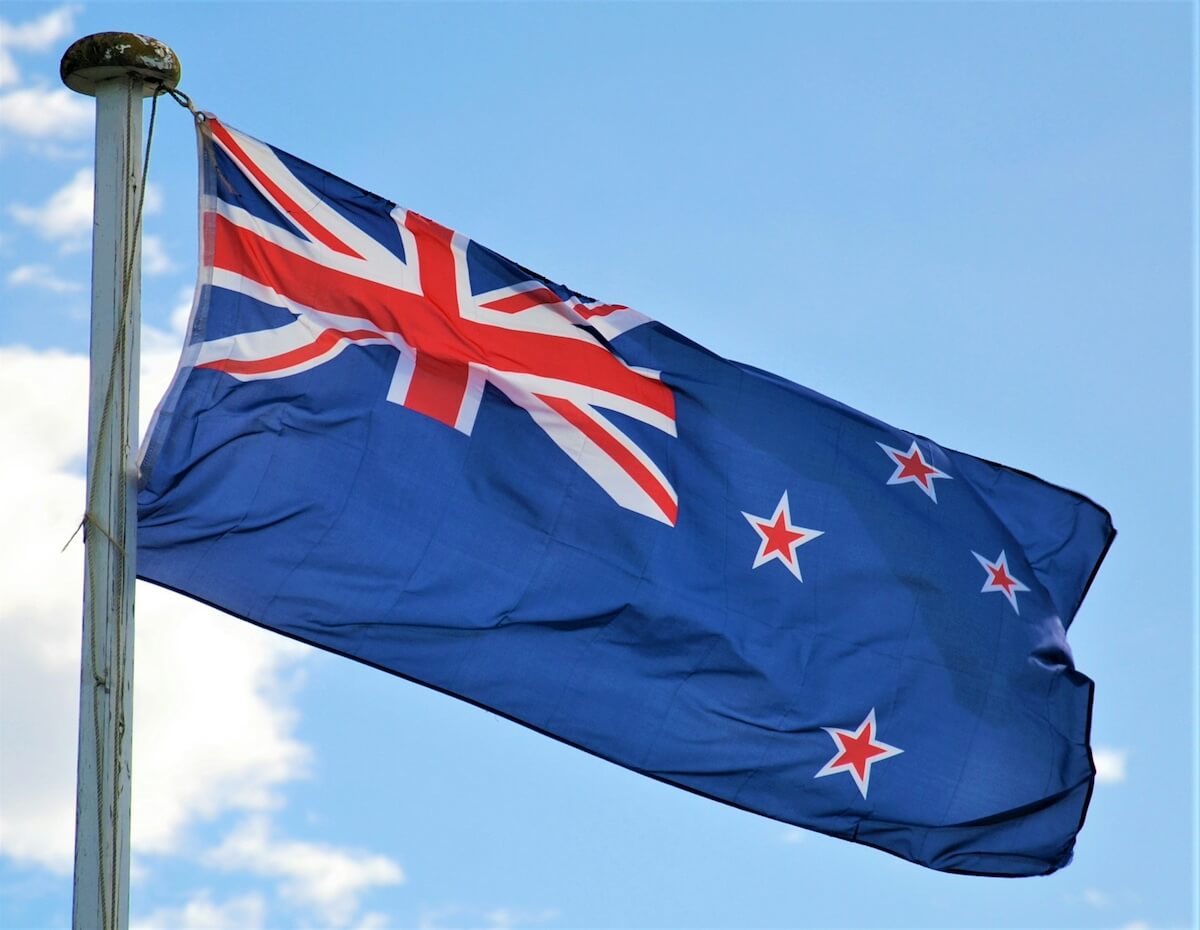
Things to do in South Island: A Kiwi’s Guide to the Land of the Long White Cloud
Kia ora! Welcome to Aotearoa, more affectionately known as New Zealand and the South Island or Te Waipounamu as the Māori call it. The South Island, with its rugged landscapes and postcard-perfect vistas, is a playground for adventurers and a sanctuary for those seeking tranquility. So grab your map, a […]
-
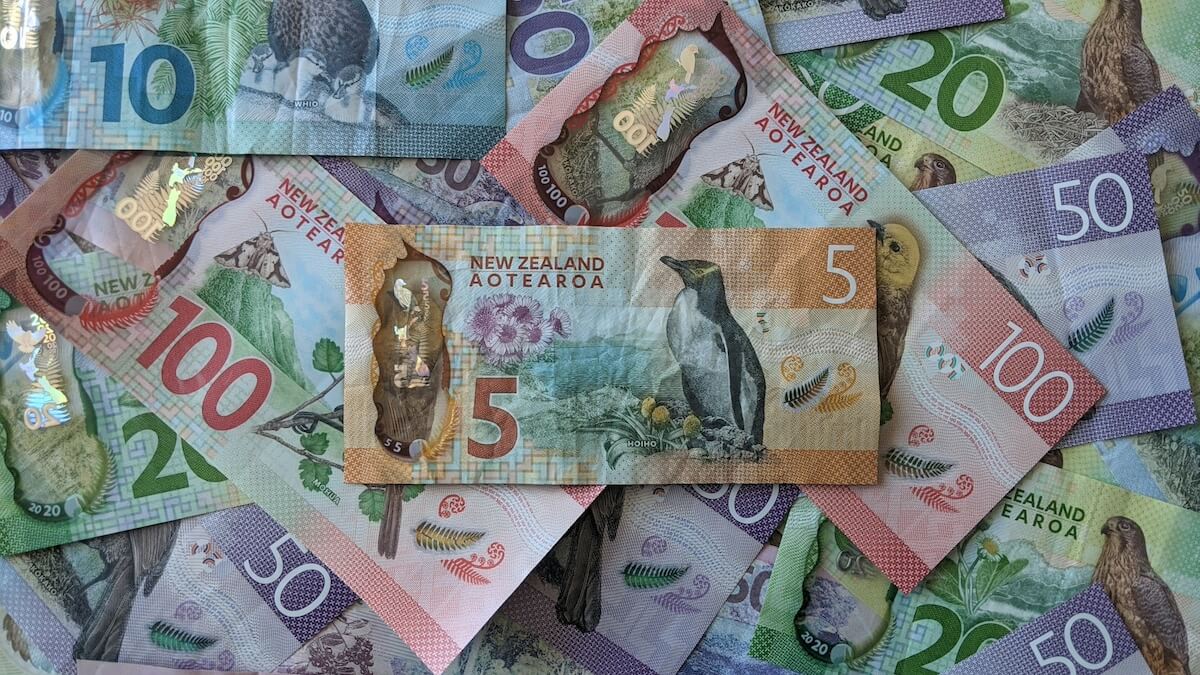
Trans-Tasman Ties: The Dynamics of NZD to AUD Exchange
The New Zealand Dollar (NZD) to Australian Dollar (AUD) exchange rate is a significant economic indicator for the trans-Tasman neighbors. It reflects not only the economic health of both nations but also their interconnectedness through trade, tourism, and investment. In this article, we will explore the intricacies of the NZD […]
-

When is summer in New Zealand
Ah, the sweet scent of sunscreen, the sizzle of barbies, and the chorus of cicadas – these are the heralds of summer in the land of the long white cloud, New Zealand. But when exactly does this glorious season grace us with its presence? Gather ’round, dear readers, for a […]
Sources: